Skip to main content
Meru Accounting
US
CA
UK
AU
SG
UAE
NZ
Menu
About Us
Services
Industries
Software
Resources
Schedule Call
×
ABOUT US
Who We are
Testimonial
FAQ's
SERVICES
Bookkeeping Service
Backlog Accounting
Cloud Addons Integration
Receivables Management
Day to Day Bookkeeping
Tax Return Services
GST Australia
Bookkeeping for CPA's
Incorporation of Trust in Australia
SOFTWARE SPECIALIZATION
Xero Accounting
Quickbooks Bookkeeping
Sage 50 & Cloud Bookkeeping
Wave
Net Suite
Clear Books
Zoho Books
Accountmate
BillQuick
Saasu
FreshBooks
Sage Intacct
Yendo
INDUSTRIES EXPERTISE
Education
Lawyers
IT Sector
Mining
Pharme
Physician
Amazon Sellers
Advertising
Transporatation & Trucking
RESOURCES
Blogs
Virtual Assistants Services
Video Channel
Contact Us
How to integrate Xero with the Australian Taxation Office (ATO) for Business Activity Statement (BAS) lodgmen
follow these steps:
Set Up Xero for BAS Lodgement
Before you can lodge your BAS, you need to ensure that your Xero organization is correctly set up with your GST details.
Go to
Settings > General Settings > Financial settings.
Ensure that
GST settings
are filled out properly, including your
GST accounting
basis (cash or accrual) and
GST registration date.
Enable ATO Reporting in Xero
In the Accounting menu, select Advanced
Under Advanced settings select Financial settings.
Click Go to new BAS.
(Optional) Click Learn more about Connected BAS.
You’ll be presented with the connection setup prompt.
Click Lodge reports directly from Xero and follow the onscreen instructions. These include the software ID (SSID) you need to give to the
ATO.
Call the ATO to authorize the connection.
When the ATO have activated your account, click Check connection and get activity statements so Xero can confirm the connection.
Prepare Your BAS in Xero
Xero automatically generates BAS reports based on the financial data you’ve entered.
Go to
Accounting > Reports > Activity Statements.
Select the appropriate BAS period and check that your GST amounts are correct.
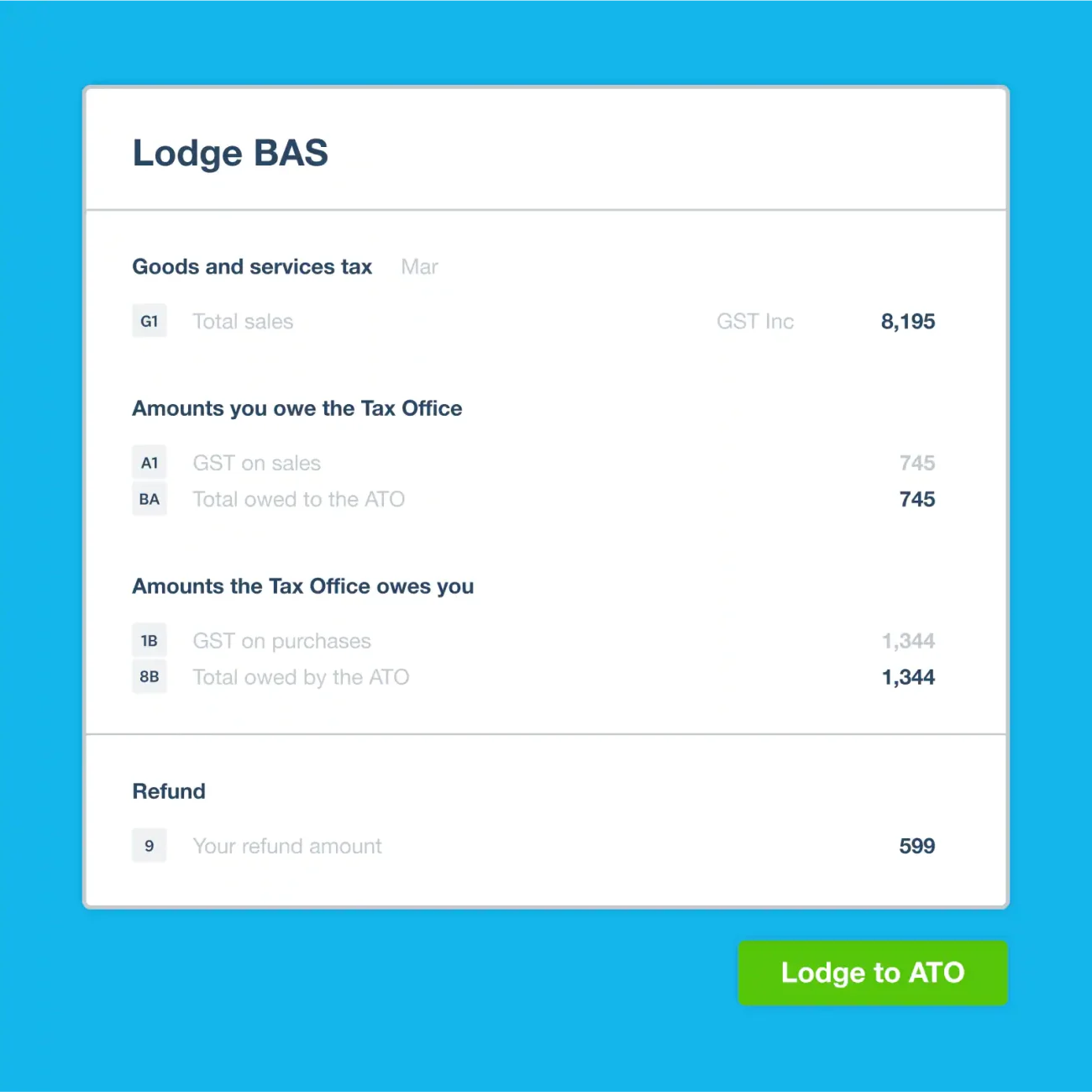
Xero will pull in your sales and purchase information to fill in the necessary sections, such as
G1 (Total Sales), G11 (Non-Capital Purchases),
etc.
Ensure that
GST on sales and GST on purchases
are categorized correctly.
Review and Lodge BAS via Xero
Once your BAS is prepared:
Go to
Reports > Activity Statements.
Click
Prepare BAS.
Review the statement to ensure all information is correct.
If everything is accurate, click File Now to lodge it directly to the ATO.
You’ll be prompted to authenticate with your MyGovID credentials.
Once submitted, Xero will confirm if the lodgement was successful.